

Flexible Google Map Locations Add‑on
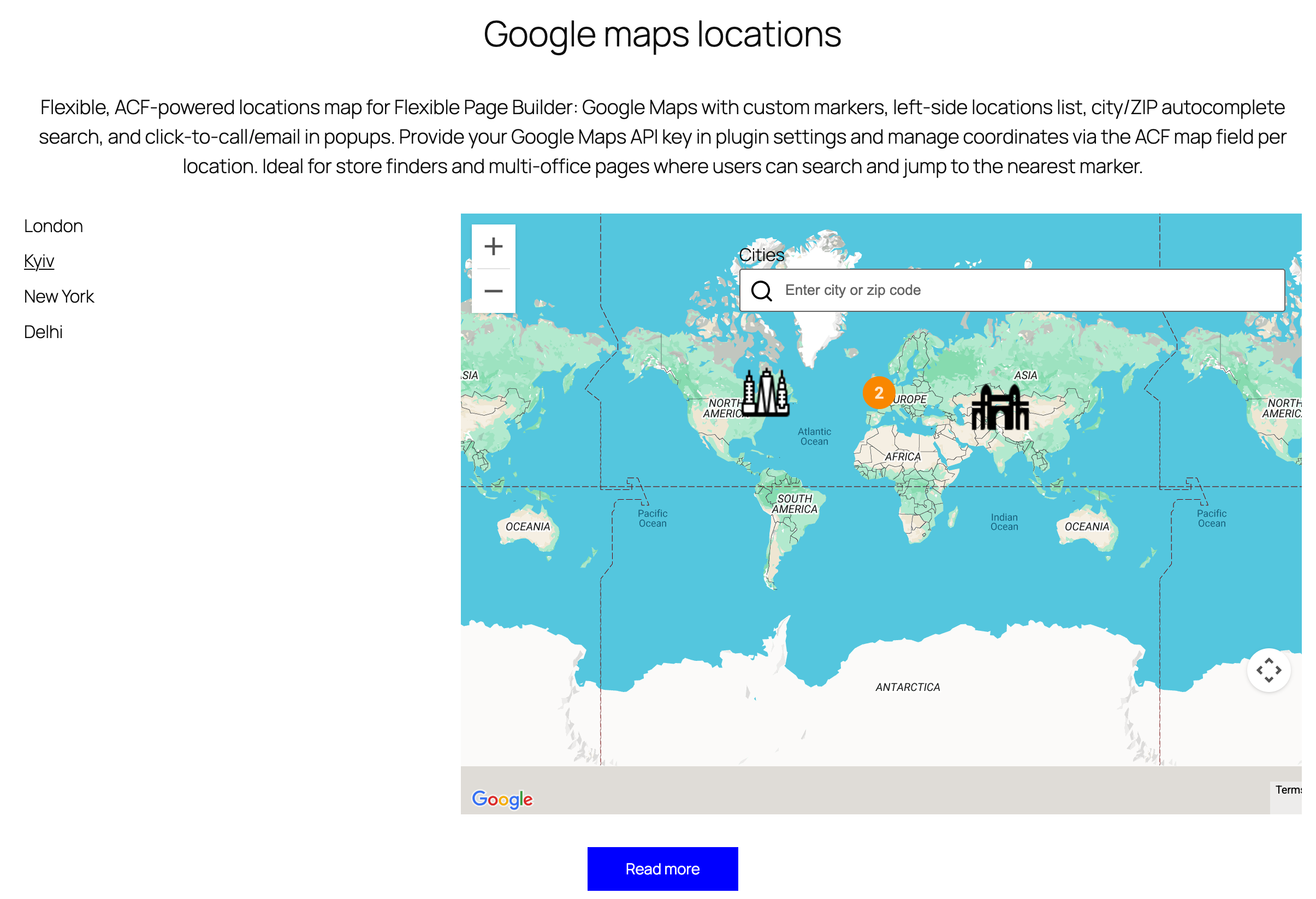
Make it effortless for customers to find your branches, offices, or pickup points. The Flexible Locations add‑on renders a two‑column layout with a scrollable location list on the left and a Google Map with interactive markers on the right. Users can search by city or ZIP, click a location, and see a clean info card with address, phone, and email – no guesswork, no friction.
Get the add‑on: Flexible Locations.
What It Does
- Google Maps integration: Loads the Maps API using your site key and enforces a consistent locale.
- Search & autocomplete: A guided input lets visitors type a city or ZIP and jump to the nearest marker.
- Interactive list: A left‑hand list of locations (with active state) centers the map on selection.
- Custom pins: Use per‑location icons (or a default marker) for brand‑consistent maps.
- Clean info cards: Address markup, clickable
tel:links, and protectedmailto:emails (anti‑spam obfuscation).
How It Works Under the Hood
- Data model: Each location includes an image/icon, headings (name), and a map field with city, latitude, longitude, and formatted address.
- Marker output: The template generates semantic HTML markers with
data-lat,data-lng, anddata-city, plus a structured info panel. - Search index: Cities are pre‑indexed into a lightweight JS array for fast jQuery UI autocomplete.
- Safe links: Phone numbers are normalized to digits for
tel:+; emails are obfuscated to fight scrapers. - UX details: A compact search bar with an inline search icon keeps the map uncluttered and mobile‑friendly.
Why Teams Love It
- Faster discovery: Search + list + map reduces bounces from “Where are you located?” pages.
- Consistent styling: Typography, spacing, and animations follow your theme tokens.
- Editor‑friendly: Add or reorder locations via familiar fields—no custom code required.
- International‑ready: API calls can be localized; addresses render as safe HTML with line breaks.
Best Practices
- Use brand pins: Provide clear, high‑contrast marker icons to improve scannability.
- Normalize addresses: Keep formatting consistent; include suite/floor details for urban areas.
- Add contact actions: Always include phone and email so mobile users can act in one tap.
- Group logically: For many locations, split pages by region and pre‑filter the list.
- Test mobile UX: Verify scroll + map gestures don’t conflict on narrow viewports.
Common Use Cases
- Retail store locator: City/ZIP search with call‑to‑action links for curbside pickup.
- Service territories: Offices, franchises, or partner networks with direct contact options.
- Event venues: Multiple locations with time‑bound visibility and quick directions.
Bottom Line
Customers want clarity and speed when finding a location. The Flexible Locations add‑on delivers both with searchable lists, branded markers, and accessible contact cards—powered by Google Maps and a streamlined UI. Launch a locator that feels effortless and stays on brand. Start here:
Flexible Locations.