

Flexible Export/Import Add‑on for Flexible Page Builder
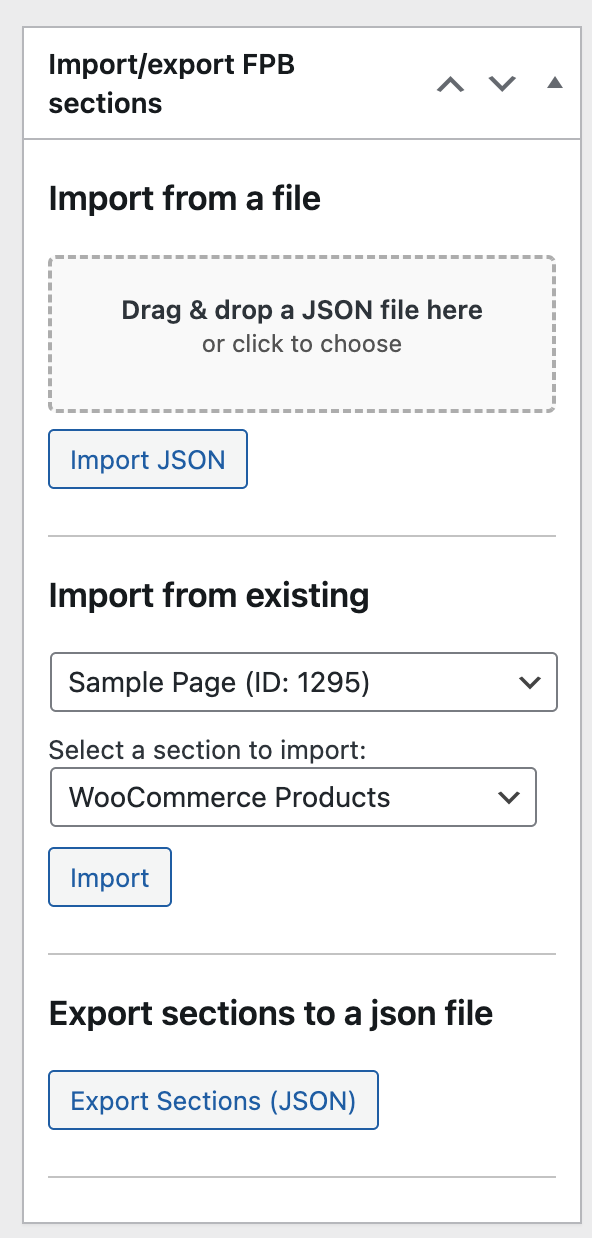
Shipping high‑quality pages shouldn’t stop at one environment. Whether you’re pushing a landing page from staging to production, cloning a campaign to a regional site, or backing up a complex layout, the Flexible Export/Import add‑on gives you a structure‑aware, editor‑friendly pipeline. It preserves your Flexible Page Builder blocks, field values, layout order, media references, and relationships – so migrations are predictable and fast.
Get the add‑on here: Flexible Export/Import.
Why It Matters
- Time savings: Duplicate proven pages in minutes – no rebuilding from scratch.
- Consistency: Keep design tokens, spacing, and block variants identical across sites.
- Lower risk: Avoid copy/paste errors and missing assets that break layouts.
- Team velocity: Let marketers reuse templates while developers focus on features.
How It Works
- Export: Serialize selected pages or specific blocks into a portable package (including repeaters and nested layouts).
- Map: Resolve field keys, slugs, taxonomies, and relationships to prevent ID drift across environments.
- Media: Bundle and re‑link images/files; dedupe assets if they already exist at the destination.
- Import: Rebuild the page with original block order and options – no manual stitching.
- Verify: Quick checks for links, headings hierarchy, and missing assets before publish.
Key Benefits
- Granular portability: Move a single hero, an entire page, or a reusable template library.
- Environment‑aware: Respect differences in URLs, taxonomies, and IDs during import.
- Rollback‑ready: Keep snapshots so you can restore previous versions in seconds.
- SEO preserved: Maintain titles, slugs, meta, internal links, and alt text to protect rankings.
- Performance‑minded: Avoid double‑loading scripts; only the required assets follow the block.
Best Practices for Smooth Migrations
- Freeze source content: Lock edits during export to prevent drift.
- Standardize media paths: Use consistent upload rules for clean mapping.
- Pre‑create taxonomies: Ensure categories/tags exist or enable auto‑create on import.
- Validate dynamic feeds: Confirm queries (recent posts, products) still resolve on the target site.
- Run a visual pass: Check responsive breakpoints, RTL/LTR, and spacing after import.
Common Use Cases
- Staging → Production: Promote approved pages with confidence.
- Multi‑site rollouts: Clone winning layouts across regions, then localize copy.
- Template libraries: Export best‑performing blocks for team‑wide reuse.
- Agency workflows: Move starter pages between client sandboxes without breakage.
- Backups: Keep per‑page snapshots to recover from accidental edits instantly.
Bottom Line
With Flexible Export/Import, migrations stop being fragile and slow. You’ll launch faster, keep brand and code quality intact, and scale your top layouts across environments with confidence. Start here: Flexible Export/Import add‑on for Flexible Page Builder.